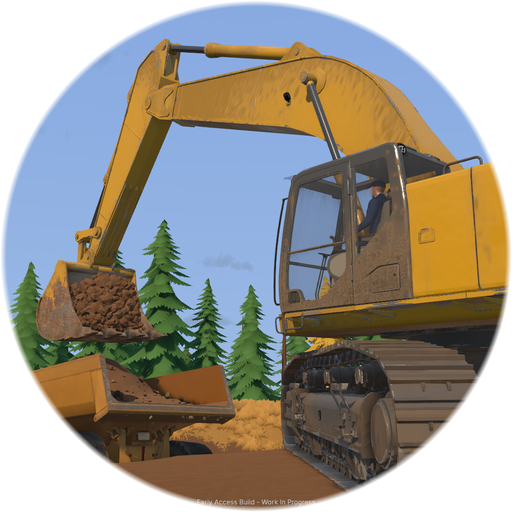
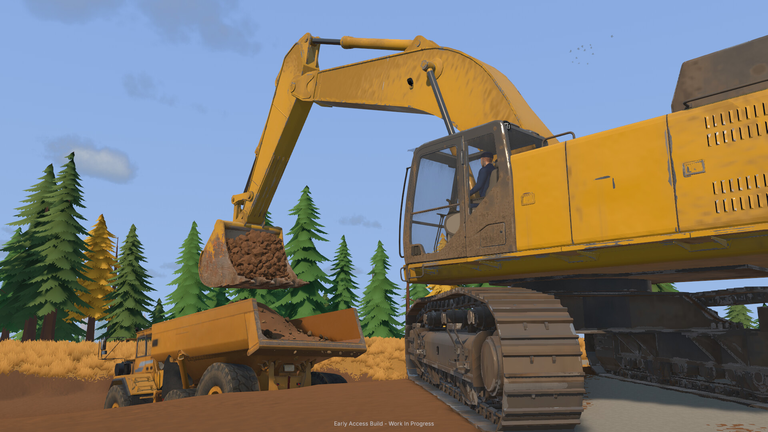
When you first sit behind the controls of heavy excavation equipment, the technical backbone making those heavy scoops possible is the robust Groundwork Simulator game engine. Understanding how this specialized Groundwork Simulator game engine processes physics, fluid dynamics, and deformable terrain can completely transform how you approach building your mining empire.
The Core Architecture of the Groundwork Simulator Game Engine
Simulation games live and die by their physics frameworks. Unlike traditional titles where environments are completely static, the Groundwork Simulator game engine was built from the ground up to handle fully dynamic, interactive terrain. Every single scoop, trench, and leveled hill permanently alters the map geometry, creating unique tactical challenges for every route you drive.
According to developer documentation and technical notes on the official Steam Store Page for Groundwork Simulator, the software places a surprisingly heavy load on your CPU due to continuous calculations. Let us break down the primary technical pillars that keep this simulation running smoothly:
| Simulation Component | Technical Function | Gameplay Impact |
|---|---|---|
| Soil Deformation | Calculates real-time voxel/mesh shifting | Every bucket scoop alters the landscape permanently. |
| Hydraulic Feedback | Simulates pressure limits and resistance | Buckets resist when overloaded; requires precise angle adjustments. |
| Fluid Dynamics | Manages pump pressure, hose routing, and flow | Water systems must be manually connected to wash plants. |
| Vehicle Physics | Weighs heavy machinery against mud and slopes | Traction and weight dictate your transport and hauling strategies. |
Deformable Soil Mechanics and Landscape Shifting
The most impressive feature powered by the Groundwork Simulator game engine is its approach to dirt. When you drive an excavator into a hillside, you are not simply playing an animation. The software calculates the volume of material removed, updates the terrain heightmap, and generates physical piles of loose dirt.
This dynamic system means that no two worksites look the same after a few hours of digging. If you carve a steep trench, you will struggle to drive heavy transport trucks through it later unless you spend time grading the slope.
Key Terrain Interaction Steps
- Drill and Test: Use exploration drills to locate high-concentration gold paydirt.
- Strip Topsoil: Carve away the upper layer of dirt using standard excavator buckets.
- Manage Spoil Piles: Place excavated earth carefully to avoid blocking your own haul routes.
- Grade Slopes: Smooth out steep drop-offs to prevent transport trailers from tipping over.
Simulated Hydraulics and Machine Resistance
Handling heavy machinery requires a delicate touch, thanks to the nuanced design of the Groundwork Simulator game engine. When your bucket bites into dense earth, the simulation registers immediate resistance.
If you try to lift too much material at an awkward angle, the simulated hydraulic system loses lifting power, forcing you to adjust your approach. This tactile resistance gives every vehicle real weight and presence.
| Machinery Class | Primary Function | Operational Challenge |
|---|---|---|
| Excavators | Stripping soil and digging paydirt | Managing bucket load and hydraulic resistance. |
| Transport Trucks | Hauling material across the claim | Navigating mud, traction loss, and steep inclines. |
| Wash Plants | Processing paydirt into gold concentrate | Maintaining a continuous, pressurized water supply. |
Water Systems and Fluid Flow Simulations
Gold processing is impossible without a reliable water supply, and the Groundwork Simulator game engine treats fluid distribution with strict mechanical logic. Water does not simply appear at your wash plant; you must physically plan and build your infrastructure.
Community reports and player experiences highlight the importance of careful hose placement. You need to position pumps near natural water sources, string hoses across rugged terrain, and maintain proper pressure to keep your sluice boxes running efficiently.
| Infrastructure Item | Placement Requirement | Common Mistake |
|---|---|---|
| Water Pumps | Directly adjacent to water sources | Placing pumps too far from the water level. |
| Supply Hoses | Routed safely across the worksite | Running hoses through active excavation paths where they get crushed. |
| Wash Plants | Positioned near digging sites | Setting up too far from your excavation pits, increasing transport times. |
Hardware Demands and System Optimization
Because the Groundwork Simulator game engine constantly evaluates complex soil mesh updates and fluid physics simultaneously, it requires a capable PC or Mac to run efficiently.
Based on official requirements, the game is heavily CPU-bound. Even if your graphics card handles high frame rates easily, your processor works overtime calculating physics interactions across the worksite.
| System Tier | Minimum Specification | Recommended Specification |
|---|---|---|
| CPU (Windows) | Intel Core i5-8400 / AMD Ryzen 5 2600 | Intel Core i5-12400 / AMD Ryzen 5 5600 |
| RAM | 16 GB RAM | 24 GB to 32 GB RAM |
| GPU (Windows) | NVIDIA GTX 1070 / GTX 1660 (8GB VRAM) | NVIDIA RTX 3060 / AMD RX 6600 |
| Storage | 10 GB Available Space (SSD Recommended) | 10 GB Available Space (SSD Recommended) |
Frequently Asked Questions
What makes the Groundwork Simulator game engine unique?
The Groundwork Simulator game engine stands out due to its fully deformable voxel/mesh terrain, realistic hydraulic resistance feedback, and complex fluid dynamics that require manual water pump and hose setups.
Can I run the game on an older processor?
While you may meet the minimum requirements with an older 64-bit CPU, the complex physics calculations handled by the Groundwork Simulator game engine mean that upgrading to a recommended processor will dramatically improve your framerate stability during heavy excavation work.
Does the terrain reset when I reload my save?
No. Every trench, pile, and road you carve is permanently saved by the game engine, meaning your worksite evolves permanently based on your operational choices.