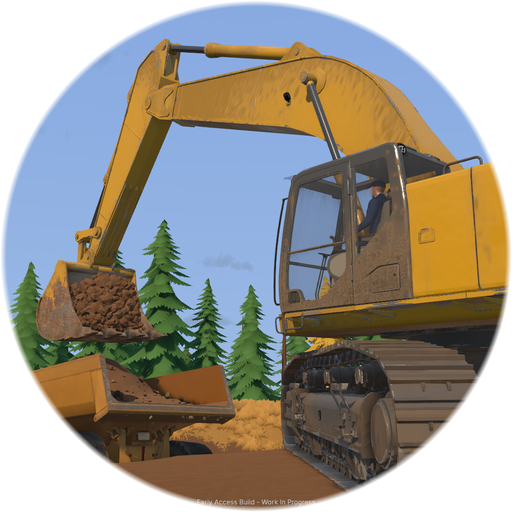
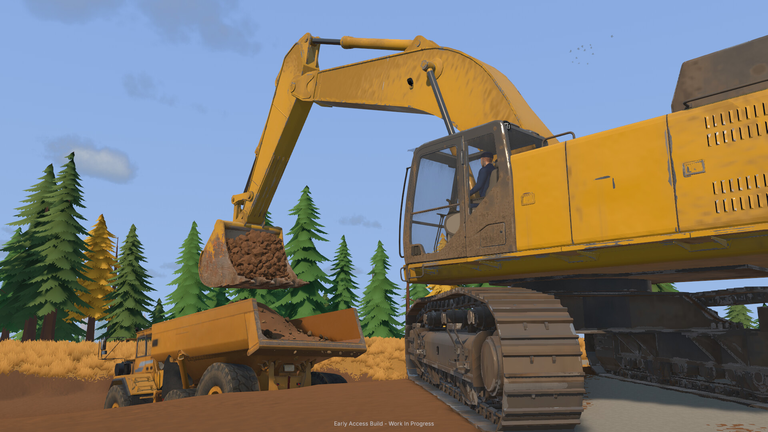
Stepping into the world of industrial earthmoving requires precision, patience, and a solid understanding of Groundwork Simulator how to play mechanics. Whether you are aiming to master heavy excavation or strike it rich, knowing Groundwork Simulator how to play from the ground up will transform your muddy worksite into a high-yielding gold operation.
Understanding the Core Loop: From Dirt to Gold
The fundamental gameplay loop relies heavily on realistic physics, meticulous resource management, and strategic terrain shaping. Every scoop you take alters the topography, creating new driving routes, slopes, and logistical challenges.
According to player experience and official guidelines, your journey begins with exploration and testing. You must drill into promising hillsides, locate high-yield deposits, and set up your foundational infrastructure. Once you extract the paydirt, you haul it to your wash plant, process it through sluice boxes, and refine the final concentrate on the shaking table.
| Phase | Objective | Recommended Equipment |
|---|---|---|
| 1. Exploration | Locate gold-rich deposits across the map | Core Drills, Test Rig |
| 2. Excavation | Dig and reshape the terrain | Crawlers, Excavators, Bulldozers |
| 3. Transport | Haul raw material to processing plants | Heavy Trucks, Flatbed Trailers |
| 4. Washing | Separate gold from waste material | Wash Plants, Trommels, Sluice Boxes |
Mastering the Water System and Terrain Physics
Water is the lifeblood of any successful mining operation in the game. Without a steady supply routed from nearby rivers or artificial retention ponds, your washing plants grind to a halt.
Community reports emphasize that managing your pumps, hoses, and dikes forms one of the most engaging challenges in the simulation. If you fail to route water properly or allow your reservoirs to run dry, your entire gold recovery pipeline stalls. Furthermore, terrain physics play a massive role in day-to-day operations. Mud, steep grades, and loose gravel will test your driving skills, often requiring you to grade roads before you can safely transport heavy loads across your site.
| Water System Component | Primary Function | Management Tip |
|---|---|---|
| Water Pumps | Pull water from natural water sources | Position close to rivers for maximum intake |
| Hose Networks | Transport water across long distances | Avoid sharp bends to prevent pressure loss |
| Retention Ponds | Store water reserves for dry spells | Build backup dikes to prevent sudden drainage |
Managing Heavy Machinery and Transport Logistics
Operating massive equipment requires a delicate touch. The game features simulated hydraulic resistance, meaning your bucket meets tangible pushback as it bites into dense soil.
When you need to relocate your fleet across the expansive open world, you must rely on proper transport logistics. Loading heavy excavators onto flatbed trailers and hauling them across rough terrain requires careful route planning. Tight turns, muddy inclines, and heavy loads can easily cause accidents if you rush your driving.
| Vehicle Type | Primary Role | Operational Consideration |
|---|---|---|
| Excavators | Deep trenching and digging into hillsides | High hydraulic load; monitor bucket angles |
| Bulldozers | Clearing trees, brush, and grading roads | Excellent for flattening uneven worksite terrain |
| Haul Trucks | Transporting bulk paydirt to wash plants | Watch traction limits when hauling heavy loads |
Playing Solo vs. Online Co-Op
While you can tackle the wilderness entirely on your own, sharing the workload with friends significantly alters the pacing of the game. Organizing a crew allows you to divide labor efficiently. While one player handles excavation, another can manage transport logistics, and a third can monitor the water pumps and wash plant.
For official updates, system requirements, and community discussions, check out the Steam Store Page for Groundwork Simulator.
| Playstyle | Pros | Cons |
|---|---|---|
| Solo Play | Full control over every aspect of the mine | Slower progress; high multitasking demand |
| Online Co-Op | Faster operations; divided labor roles | Requires coordination and communication |
PC System Requirements & Performance
Because of the complex soil deformation and fluid dynamics running simultaneously, the game demands a capable CPU and graphics card. Review the official system requirements below to ensure your setup can handle the simulation load.
| Component | Minimum Specification | Recommended Specification |
|---|---|---|
| OS | Windows 10 (64-bit) | Windows 11 (64-bit) |
| Processor | Intel Core i5-8400 / AMD Ryzen 5 2600 | Intel Core i5-12400 / AMD Ryzen 5 5600 |
| Memory | 16 GB RAM | 24 GB RAM |
| Graphics | NVIDIA GTX 1070 (8 GB VRAM) | NVIDIA RTX 3060 / AMD RX 6600 |
| Storage | 10 GB available space | 10 GB available space |
Frequently Asked Questions
What is the main goal in Groundwork Simulator?
The primary goal is to explore open maps, operate heavy machinery to reshape the landscape, mine gold-rich paydirt, and run a profitable processing plant.
Can I play Groundwork Simulator with my friends?
Yes, the game features online co-op multiplayer support, allowing you to divide tasks like excavation, hauling, and water management across a shared worksite.
How important is the water system for gold recovery?
Water is absolutely critical. Without setting up functional pumps, hoses, and retention ponds to supply your wash plants, you cannot process paydirt into gold.
Is Groundwork Simulator available on consoles?
The game launches in Early Access primarily for PC via Steam, with community discussions ongoing regarding potential future platform expansions.