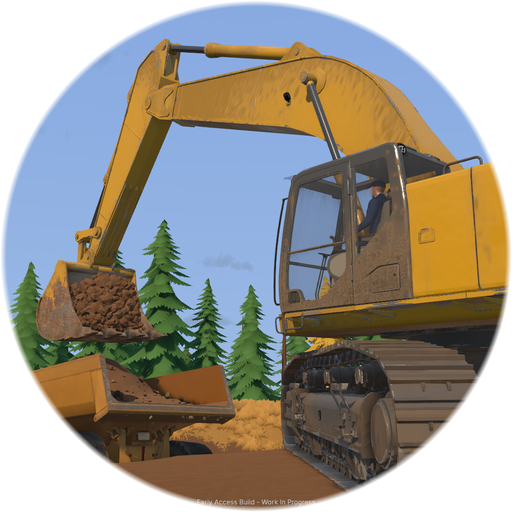
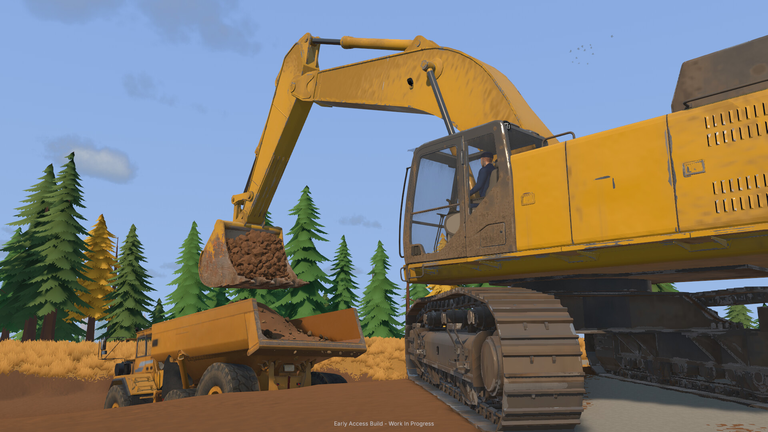
Fans of heavy machinery and excavation management are constantly searching for platforms to play their favorite titles on the go. If you are hunting for a Groundwork Simulator mobile download, you are likely eager to know whether you can take your gold-mining empire onto your smartphone or tablet.
Operating heavy equipment, digging deep into hillsides, and setting up complex wash plants require serious computational power. Before diving into app stores, it helps to understand what platforms the game actually supports and how you can access it properly.
Understanding Groundwork Simulator Platform Availability
When looking for a Groundwork Simulator mobile download, the most important detail to know is that the game is primarily built for desktop platforms. Released in Early Access on Steam, the title focuses heavily on deep simulation mechanics, deformable soil physics, and advanced hydraulics that test even high-end computer hardware.
To help clarify where you can officially find and play the game, here is a quick overview of current platform compatibility based on official developer releases.
| Platform | Availability Status | Notes |
|---|---|---|
| Windows PC | Available | Fully playable via Steam with controller and keyboard support. |
| macOS | Available | Requires Apple M4 or M5 Pro processors for optimal performance. |
| Steam Deck | Unknown / Untested | Hardware demands for physics might impact portable play. |
| Android (Google Play) | Not Available | No official port exists for Android smartphones or tablets. |
| iOS (App Store) | Not Available | No official port exists for iPhones or iPads. |
As shown in the breakdown above, mobile users will not find an official application on either the Google Play Store or the Apple App Store. Be cautious of third-party APK files or unauthorized mirror sites claiming to offer a mobile version, as these are often unsafe. You can check the official release details and purchase options directly on the Steam Store Page for Groundwork Simulator.
Why a Mobile Version is Currently Unlikely
Simulation enthusiasts often wonder why demanding PC simulators do not immediately transition to mobile devices. In the case of this specific title, the underlying technology makes a direct Groundwork Simulator mobile download extremely difficult to develop right now.
The game relies heavily on real-time soil deformation, complex water simulation systems, and intricate hydraulic feedback loops. Every single scoop of earth alters the landscape dynamically, requiring substantial CPU processing overhead.
| Simulation Feature | Hardware Demand | Mobile Impact |
|---|---|---|
| Deformable Terrain | Extremely High | Rapid battery drain and severe thermal throttling. |
| Water System Mechanics | High | Demands advanced physics calculations for hose routes and pumps. |
| Vehicle Hydraulics | Moderate to High | Complex input mapping needed for realistic resistance. |
| Multiplayer Co-op | Moderate | Requires stable networking and constant server synchronization. |
Because of these complex physical computations, the minimum system requirements for the PC version call for a dedicated 64-bit processor, 16 GB of RAM, and a powerful graphics card. Standard smartphones simply do not possess the thermal capacity or processing architecture to run these specific physics engines smoothly without massive downgrades.
Exploring Alternative Mobile Apps and Similar Tools
If you searched for a Groundwork Simulator mobile download because you wanted a site-management or equipment-operation experience on your phone, you might stumble upon similarly named apps. However, these tools serve entirely different professional purposes rather than offering entertainment gameplay.
For instance, mobile app stores feature productivity software like property inspection logs and construction tracking utilities. To help differentiate between actual games and utility programs, review the comparison table below:
| Application Name | App Type | Primary Function |
|---|---|---|
| Groundwork Simulator | PC Game | Heavy machinery operation, gold mining, and terrain reshaping. |
| GroundWork (Android) | Business App | Site logging, GPS photo tagging, and team construction audits. |
| GroundWorks™ (iOS) | Business Utility | Property inspection reports and offline data collection. |
If you download these productivity apps expecting a heavy machinery simulation game, you will only find business management and auditing tools. Always verify the publisher and developer information before installing any software on your mobile device.
How to Play Groundwork Simulator on PC and Mac
Since a native Groundwork Simulator mobile download is not available, experiencing the full game requires a compatible desktop or laptop computer. The Early Access period gives players a chance to dive into the core gameplay loop, which includes exploratory drilling, washing plant setup, and market tracking.
To ensure your setup can handle the advanced soil physics, review the official hardware specifications outlined by the developers:
| Hardware Tier | Operating System | Processor (CPU) | Memory (RAM) | Graphics (GPU) |
|---|---|---|---|---|
| Minimum (Windows) | Windows 10 (64-bit) | Intel Core i5-8400 / AMD Ryzen 5 2600 | 16 GB | NVIDIA GTX 1070 (8 GB VRAM) |
| Recommended (Windows) | Windows 11 (64-bit) | Intel Core i5-12400 / AMD Ryzen 5 5600 | 24 GB | NVIDIA RTX 3060 / AMD RX 6600 |
| Minimum (macOS) | Tahoe or greater | Apple M4 | 16 GB | Apple M4 Integrated |
| Recommended (macOS) | Tahoe or greater | Apple M5 Pro | 24 GB | Apple M5 Pro Integrated |
Running the game smoothly means paying close attention to your CPU, as the soil and water physics place a heavier load on processors than standard video graphics might imply.
Frequently Asked Questions
Is there an official Groundwork Simulator mobile download available?
No, there is currently no official mobile version for Android or iOS devices. The game is exclusive to PC and Mac platforms via Steam.
Can I play Groundwork Simulator on my smartphone using cloud gaming?
While some cloud streaming services allow PC games to be played on mobile browsers, running this specific title via cloud depends entirely on platform availability and hosting provider support. Always check official community announcements for updates regarding cloud streaming integration.
Are the apps named “GroundWork” on Google Play related to the game?
No, mobile apps with similar names found on app stores are business productivity tools meant for construction auditing, property inspections, and team logging, not entertainment simulation.
Will the developers ever release a mobile version in the future?
The development team has focused their Early Access roadmap on expanding PC maps, vehicles, and community-driven features. There has been no official announcement regarding a mobile port.